Paymenter Extension to use with your own instance. Tested with Paymenter v1.5.5 (released on 12.06.2026)
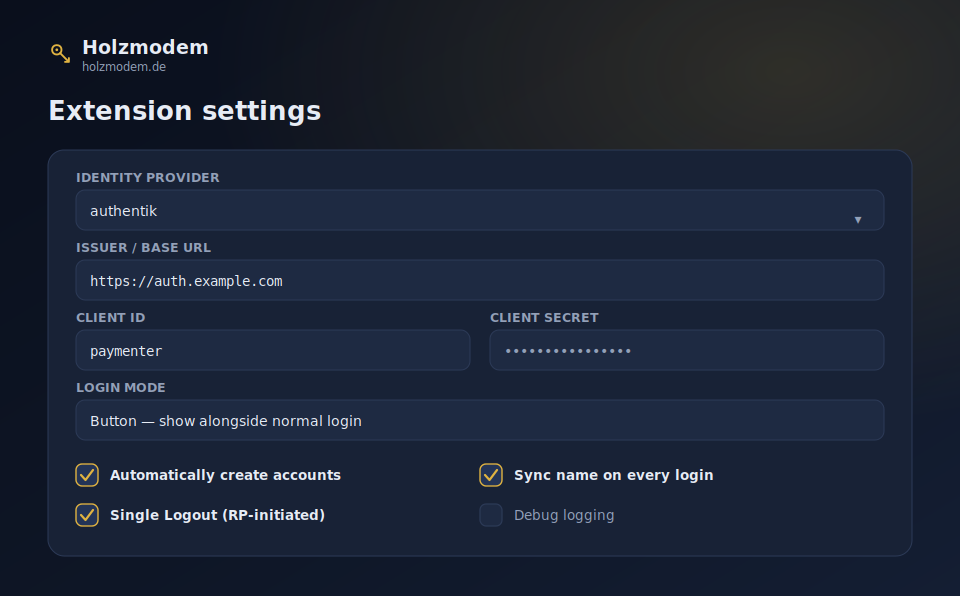
Log in to Paymenter with your authentik identity provider. A clean, native OAuth2 / OpenID Connect integration to use Single Sign-on.
── What it does ──
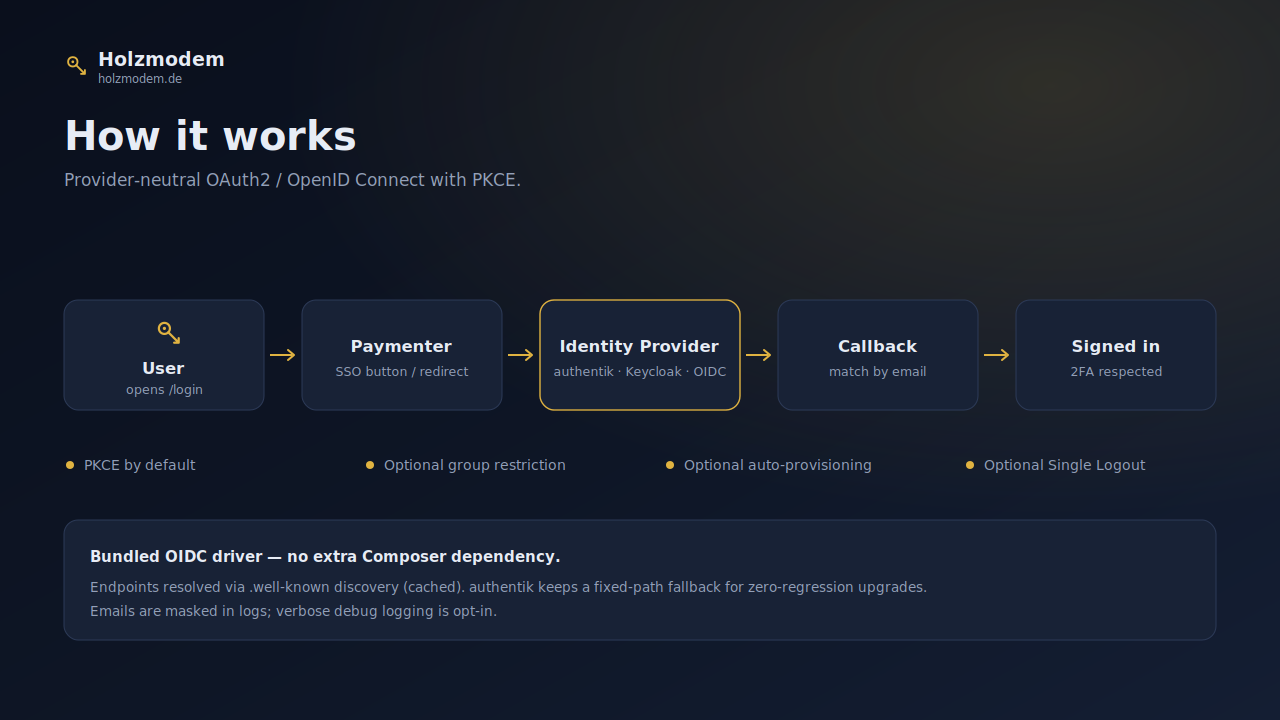
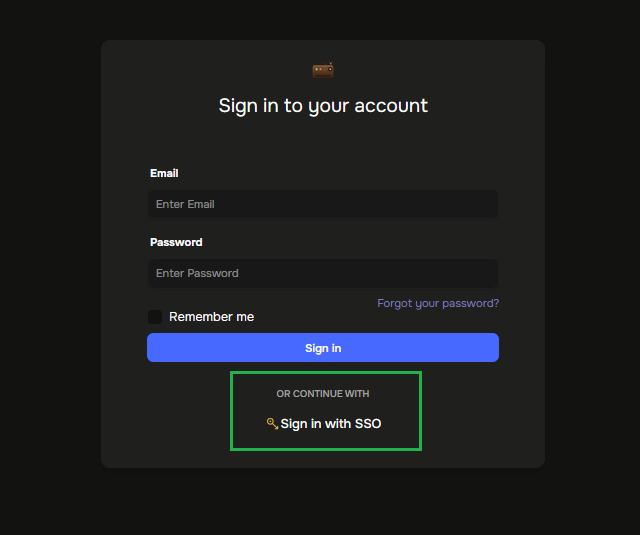
A "Sign in with SSO" button on your Paymenter login, or a full forced redirect to authentik. Users authenticate once and land in Paymenter — accounts matched by email, created automatically if you want.
── Features ──
Three login modes — show an SSO button beside the normal login, force every login through authentik, or disable without uninstalling.
Bundled OIDC driver — the authentik driver ships inside the extension. Nothing extra to install, nothing to break when authentik updates.
PKCE secured — modern proof-key flow enabled by default.
Auto-provisioning — first-time users get a local account automatically, matched by email.
Group restriction — optionally allow only members of specific authentik groups.
2FA-aware — existing two-factor accounts still get their prompt.
Theme-independent — works on the default theme and custom themes alike.
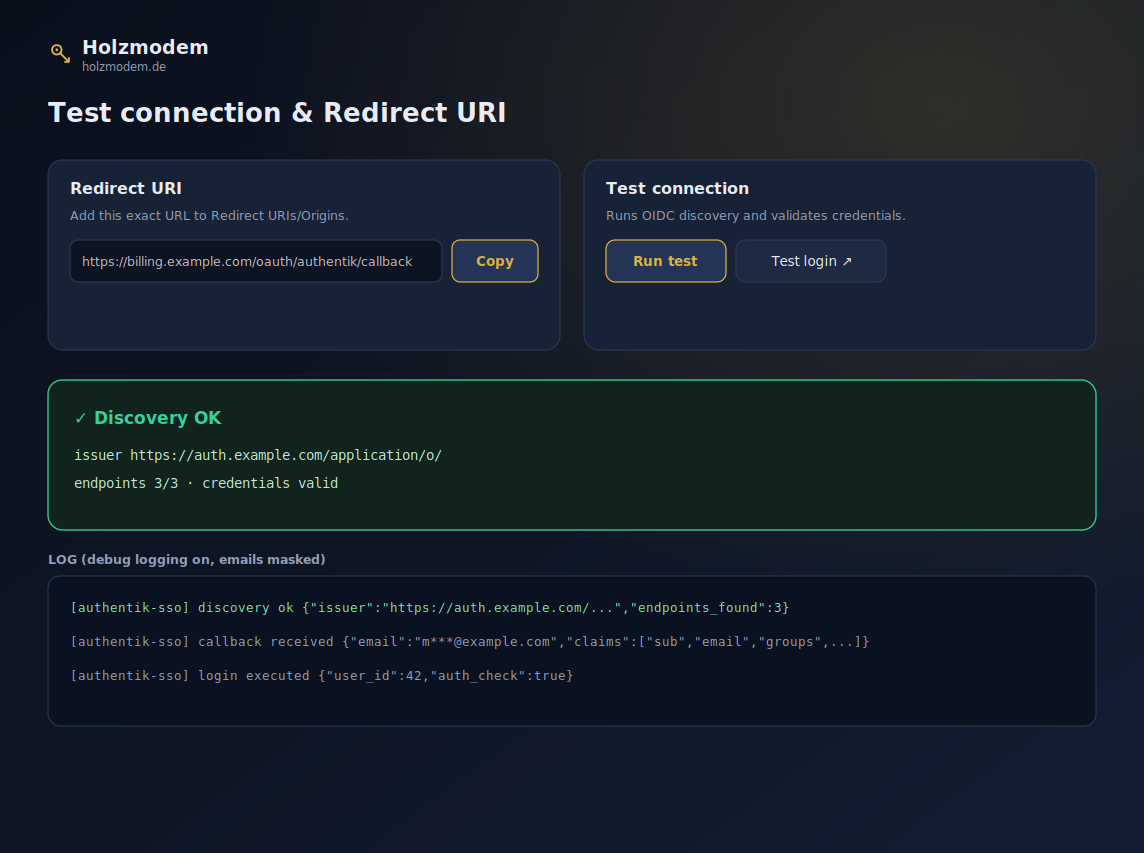
Built-in connection test — verify URL, Client ID and Client Secret right from the admin panel, plus a one-click test login.
Recovery built in — force mode always leaves a /login?local=1 escape hatch, so you can never lock yourself out.
Custom button logo — upload your own, or use the clean default key icon.
English & German — follows Paymenter's own language setting.
── Requirements ──
Paymenter 1.5.0+
A reachable authentik instance with an OAuth2/OIDC provider (tested with v2026.5.2)
── Setup ──
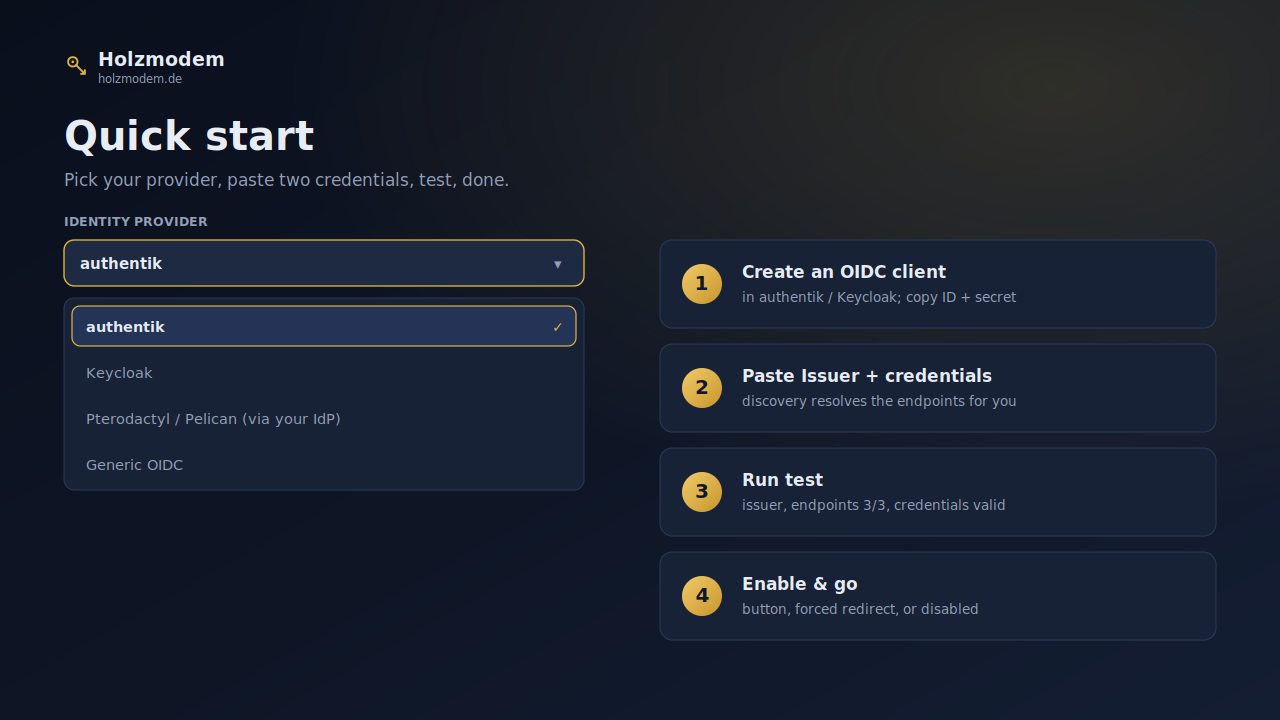
Create an OAuth2/OIDC provider in authentik, paste the Client ID, Secret and your authentik URL into the extension, run the built-in test, and enable. The included guide walks you through both the authentik and Paymenter side step by step.
── Support & docs ──
Full documentation is included (setup, login modes, recovery, troubleshooting). Questions? Create a ticket or mail me at service@holzmodem.de